Python URL parsing is one of the most fundamental skills for any web developer or data analyst working with web data. Whether you're building a scraper, analyzing marketing campaigns, or constructing API requests, you need to break URLs into their component parts reliably. A single mishandled query parameter or an overlooked encoded character can break an entire data pipeline.
Python's ecosystem offers multiple libraries for this task, ranging from built-in modules to powerful third-party packages. Each library has strengths suited to different use cases. This guide walks you through the best options with real, working code examples so you can pick the right tool and start parsing immediately.
Key Takeaways
- Python's built-in
urllib.parsehandles most URL parsing tasks without any extra dependencies. - The
furllibrary provides a clean, mutable API for building and modifying URLs. - Use
parse_qsto extract query parameters into a dictionary with one function call. - Always handle URL encoding and decoding explicitly to avoid data corruption in your pipelines.
- Third-party libraries like
yarloffer async-friendly parsing for high-performance applications.
Step 1: Parse URLs with Python's Built-in urllib
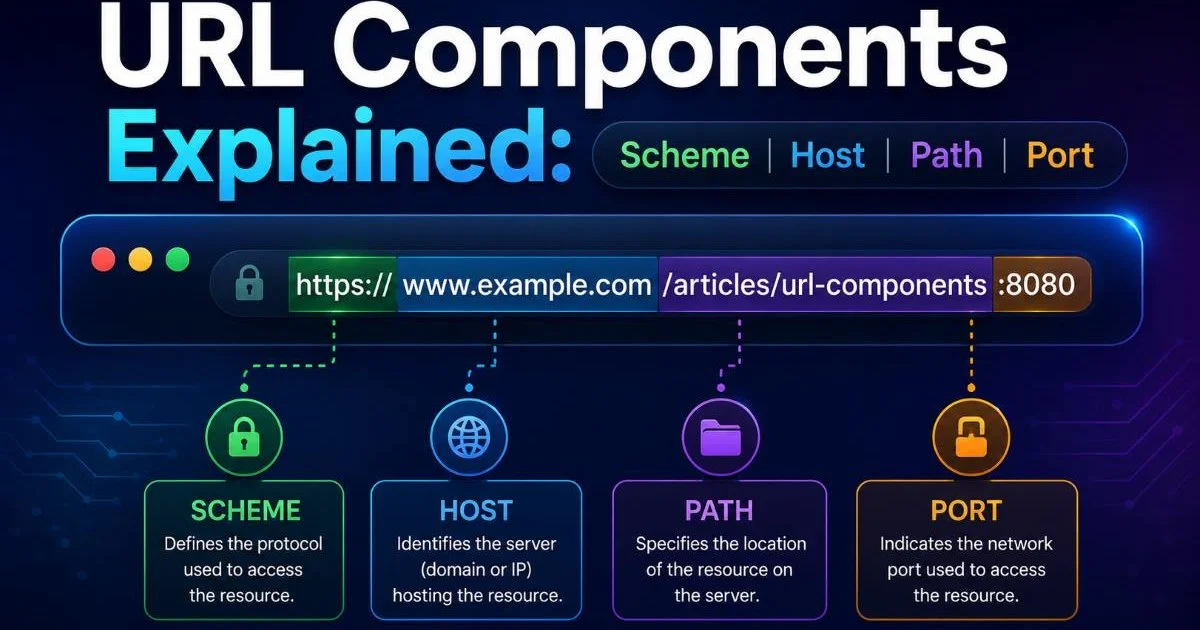
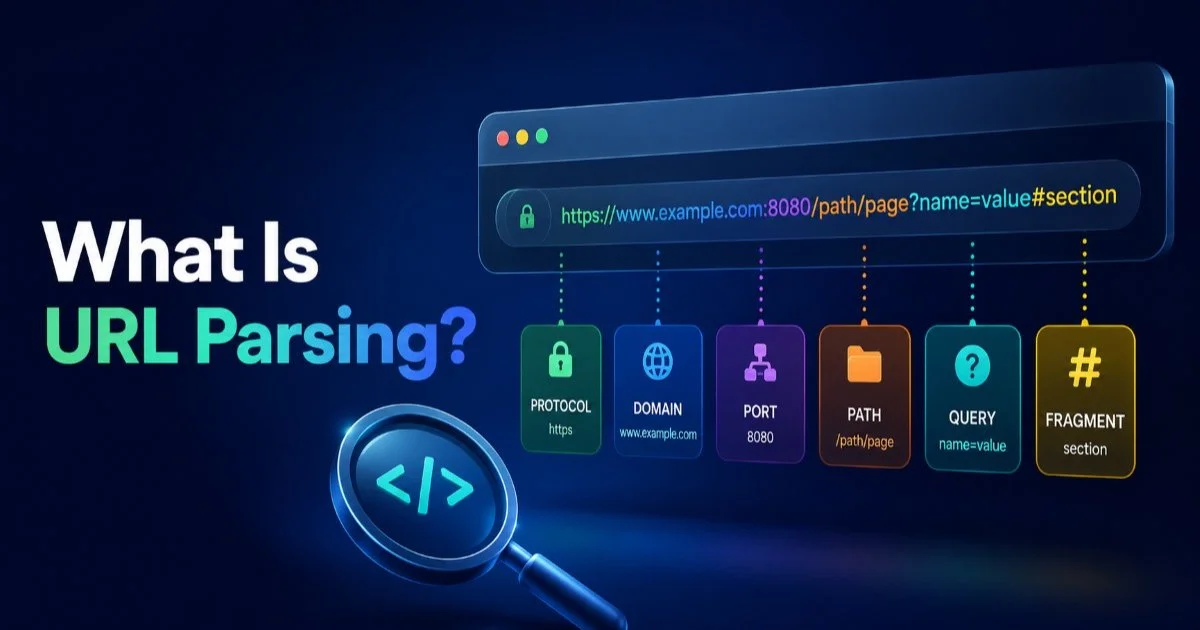
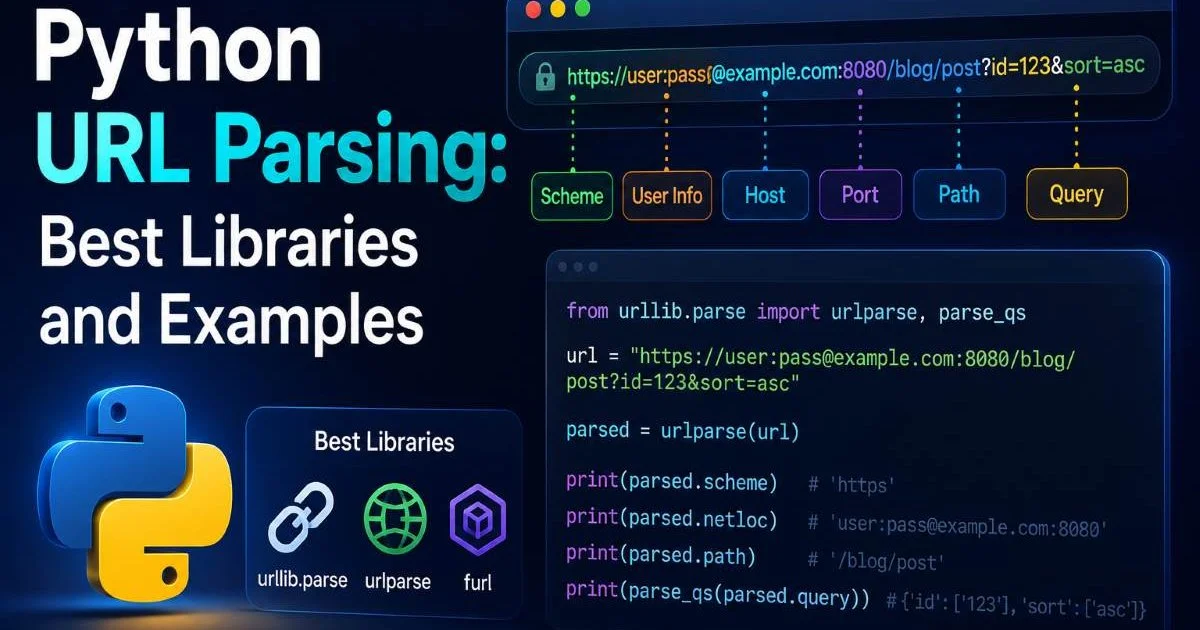
The urllib.parse module ships with every Python installation, making it the default starting point for URL parsing. It provides urlparse(), which splits a URL into six named components: scheme, netloc, path, params, query, and fragment. If you want to understand what URL parsing is and how it works at a conceptual level, that foundation will help you get more from the code examples below. No pip install required; just import and go.
Breaking Down urlparse Results
When you call urlparse(), you get back a ParseResult named tuple. Each attribute maps directly to a standard URL component like scheme, host, and path. For example, parsing https://example.com/products?id=42&color=blue#reviews gives you scheme='https', netloc='example.com', path='/products', query='id=42&color=blue', and fragment='reviews'. This clean separation makes downstream processing straightforward.
from urllib.parse import urlparse url = result = urlparse(url) print(result.scheme) # https print(result.netloc) # example.com print(result.path) # /products print(result.query) # id=42&color=blue print(result.fragment) # reviewsUse `urlparse` for read-only decomposition and `urlunparse` when you need to reassemble a modified URL from its parts.
Extracting Query Parameters
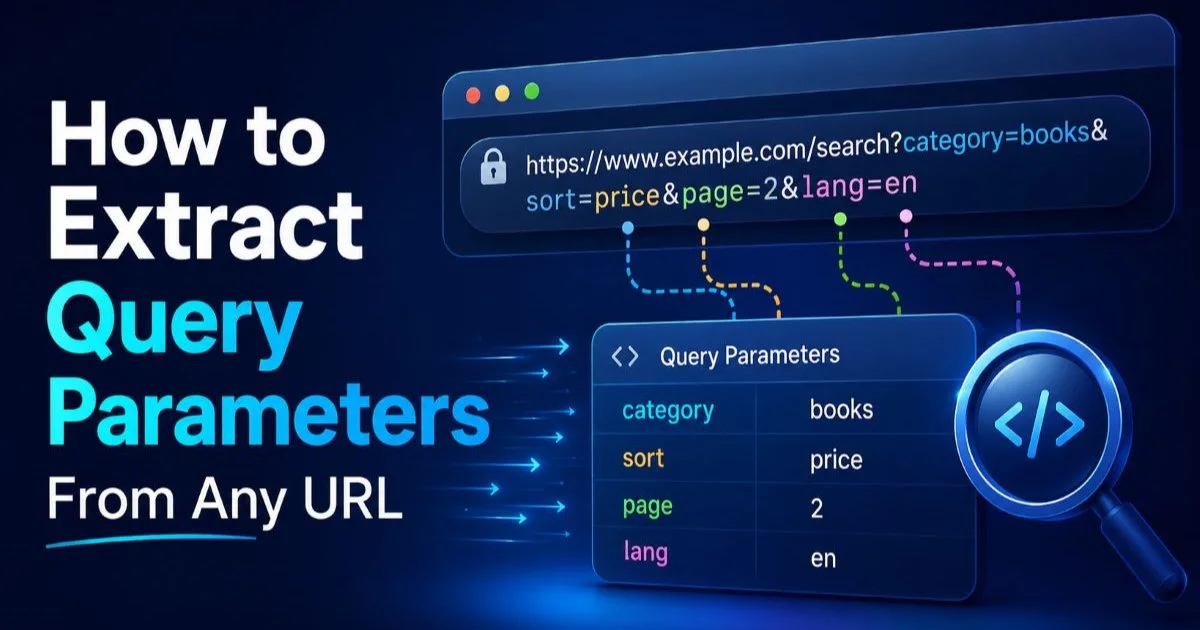
Raw query strings are difficult to work with as plain text. The parse_qs() function converts them into a dictionary where each key maps to a list of values. This is especially useful when you need to extract query parameters from any URL for analytics or routing logic. Calling parse_qs("id=42&color=blue") returns {'id': ['42'], 'color': ['blue']}, giving you instant structured access.
For single-value lookups, parse_qs returns lists because URL specs allow duplicate keys. If you're confident each parameter appears only once, use parse_qs(query, keep_blank_values=True) and access the first element. This pattern appears constantly in web scraping workflows where campaign URLs carry UTM tags, session IDs, and pagination tokens all packed into the query string.
Step 2: Use furl for Readable URL Manipulation
While urllib.parse is powerful, its API can feel verbose when you need to modify URLs frequently. The furl library (install via pip install furl) wraps URL parsing in a mutable object model that reads almost like English. You access and change any part of the URL through dot notation, and the object automatically reconstructs a valid URL string when you need it. This approach reduces the chance of introducing bugs through manual string concatenation.
from furl import furl f = print(f.host) # api.example.com print(f.path) # /v2/users print(f.args['page']) # 1 f.args['page'] = 3 f.path.segments.append('active') print(f.url) # https://api.example.com/v2/users/active?page=3&limit=50Modifying URLs on the Fly
One common task in data analysis is iterating through paginated API endpoints. With furl, incrementing a page parameter takes a single line of code. You simply assign a new value to f.args['page'] inside a loop. Compare this to urllib.parse, where you'd need to call parse_qs, modify the dict, call urlencode, and then rebuild the URL with urlunparse. The difference in readability is significant when your script handles dozens of URL transformations.
Data analysts working with chat APIs and similar endpoints will appreciate how furl handles nested path segments and complex query structures. You can add, remove, or reorder path segments without worrying about trailing slashes or encoding. The library also correctly handles edge cases like empty query values and fragments, which trip up naive string manipulation approaches surprisingly often.
"The best URL parsing library is the one that matches your project's complexity, not the one with the most features."
For quick prototyping and data exploration in Jupyter notebooks, furl stands out as the most developer-friendly option. Its __repr__ output shows the full URL, making it easy to visually verify changes during interactive sessions. The library maintains the order of query parameters as well, which matters when working with APIs that generate signature hashes based on parameter ordering.
furl does not validate URLs against RFC 3986. It parses whatever string you provide, so always validate inputs separately if security matters.
Step 3: Handle Encoding and Edge Cases
Python URL parsing works smoothly with clean URLs, but production data is rarely clean. You'll encounter percent-encoded characters, international domain names, URLs with spaces that should have been encoded, and malformed strings from user input or legacy systems. Handling these edge cases correctly is the difference between a script that works on test data and one that survives real-world deployment. The urllib.parse module provides quote(), unquote(), and urlencode() for these situations.
Dealing with Unicode and Special Characters
When a URL contains characters outside the ASCII range, they must be percent-encoded for HTTP transport. For instance, a search query for "café" becomes caf%C3%A9 in the URL. The unquote() function decodes this back to readable text. If you're building URL parsing pipelines for web scraping, you'll encounter this constantly, especially on e-commerce sites with product names in multiple languages.
from urllib.parse import quote, unquote encoded = quote("search term: café & résumé") print(encoded) # search%20term%3A%20caf%C3%A9%20%26%20r%C3%A9sum%C3%A9 decoded = unquote(encoded) print(decoded) # search term: café & résuméNever double-encode URLs. If your input is already percent-encoded, calling quote() again will encode the percent signs themselves, producing broken URLs.
Another common pitfall is handling URLs that contain fragments with query-like syntax. Some single-page applications use hash-based routing (e.g., #/dashboard?view=monthly), and urlparse treats everything after the # as a single fragment string. You'll need to split and parse the fragment manually in these cases. Consider writing a small utility function that detects fragment-based query parameters and parses them the same way you'd handle standard query strings.
When auditing your dependencies for projects that involve URL processing, it's also worth running your stack through a software license checker to detect hidden risks in third-party packages. Libraries like furl and yarl are MIT-licensed, but transitive dependencies may carry different terms that affect commercial projects.
Step 4: Choose the Right Library for Your Project
Your choice of parsing library should reflect the complexity of your URL handling needs. For one-off scripts and simple decomposition, urllib.parse is perfectly adequate. For applications that construct and modify URLs as core logic (API clients, crawlers, test frameworks), a library like furl or yarl pays for itself in reduced code and fewer bugs. The performance characteristics also matter; yarl is written partially in C and integrates natively with Python's asyncio.
Library Comparison Table
| Library | Install Required | Mutable URLs | Async Support | Best For |
|---|---|---|---|---|
| urllib.parse | No (built-in) | No | No | Simple parsing, scripts |
| furl | Yes | Yes | No | URL building, readability |
| yarl | Yes | No (immutable) | Yes | aiohttp, async crawlers |
| hyperlink | Yes | No (immutable) | No | RFC compliance, Twisted |
If your project is an async web crawler using aiohttp, yarl is the natural choice because aiohttp already depends on it internally. Using the same library avoids redundant parsing when you pass URLs between your code and the HTTP client. On the other hand, if you're building a data pipeline that processes millions of URLs from log files, the zero-dependency approach of urllib.parse keeps your environment lean and your deployment simple.
Consider also how much Python URL parsing you'll actually do. A script that parses a few hundred URLs per run has no need for C-accelerated performance. But a service processing 50,000 requests per second will benefit from yarl's optimized internals. Profile your actual workload before optimizing prematurely. In most data analysis contexts, urllib.parse combined with furl for complex cases covers 95% of needs.
Start with urllib.parse for any new project. Only add a third-party library when you find yourself writing repetitive URL construction code.
For production systems, write a thin wrapper module around whichever library you choose. This abstraction layer lets you swap implementations later without touching business logic. Define functions like extract_domain(url), get_param(url, key), and rebuild_url(url, params). Your team gets a consistent interface, and you can add validation, logging, or caching in one place rather than scattered throughout the codebase.
Frequently Asked Questions
?How do I extract UTM tags from a URL using parse_qs?
?When should I use furl instead of urllib.parse?
?Does switching to yarl require rewriting existing urllib.parse code?
?Why does parse_qs return lists instead of single values?
Final Thoughts
Python URL parsing is well served by both standard library tools and third-party packages. Start with urllib.parse for straightforward decomposition and reach for furl or yarl when your project demands frequent URL modification or async performance.
Always handle encoding explicitly, and write tests against real-world malformed URLs rather than just clean examples. The right library paired with disciplined encoding practices will keep your URL handling robust across any scale of project.
Disclaimer: Portions of this content may have been generated using AI tools to enhance clarity and brevity. While reviewed by a human, independent verification is encouraged.