Extracting query parameters from any URL is one of the most common tasks web developers and data analysts face daily. Whether you're tracking marketing campaigns, debugging API calls, or building data pipelines, query strings carry critical information that drives decisions. A single URL might contain user IDs, session tokens, UTM tags, pagination offsets, and filter criteria.
Knowing how to extract query parameters reliably means the difference between clean data and hours spent untangling messy strings. This guide walks you through the practical steps, covering manual parsing, programmatic approaches, and automated tools.
Understanding how URL parsing works is the foundation for everything that follows. By the end, you'll have a repeatable workflow for pulling parameters from URLs in any context.
Key Takeaways
- Query parameters always follow the question mark and use ampersands as separators in URLs.
- Built-in browser APIs like URLSearchParams handle most parsing needs without external libraries.
- Always decode percent-encoded values before storing or analyzing extracted parameter data.
- Python's urllib.parse module is the go-to choice for server-side query extraction.
- Automated tools save significant time when processing thousands of URLs in bulk.
Step 1: Understand URL Query String Structure
Anatomy of a Query String
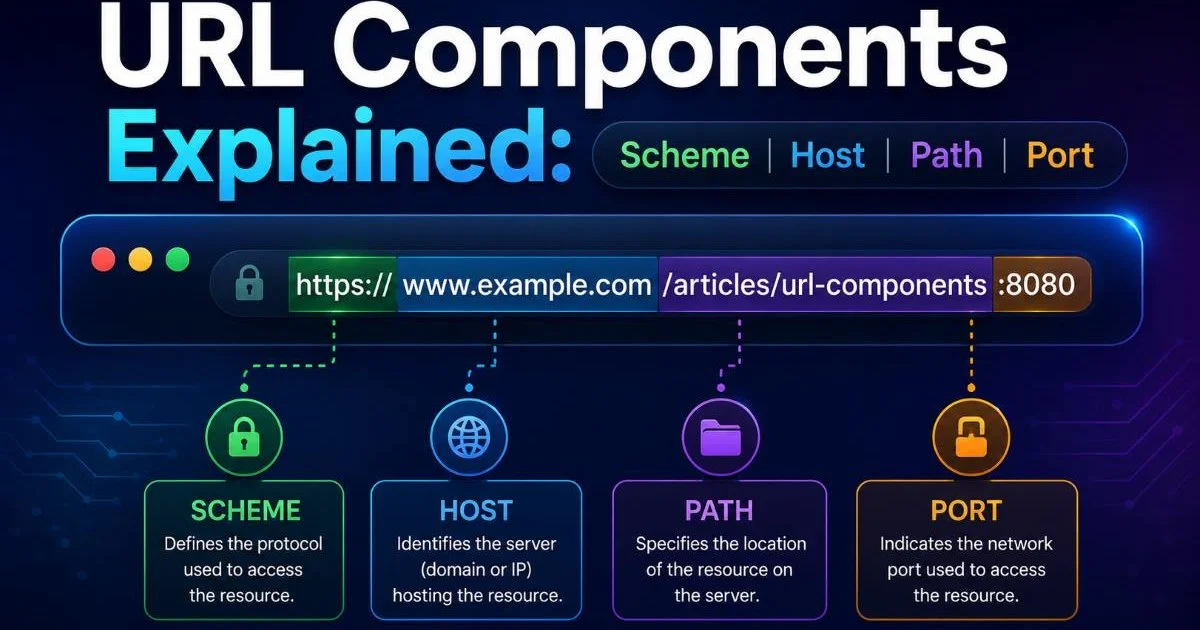
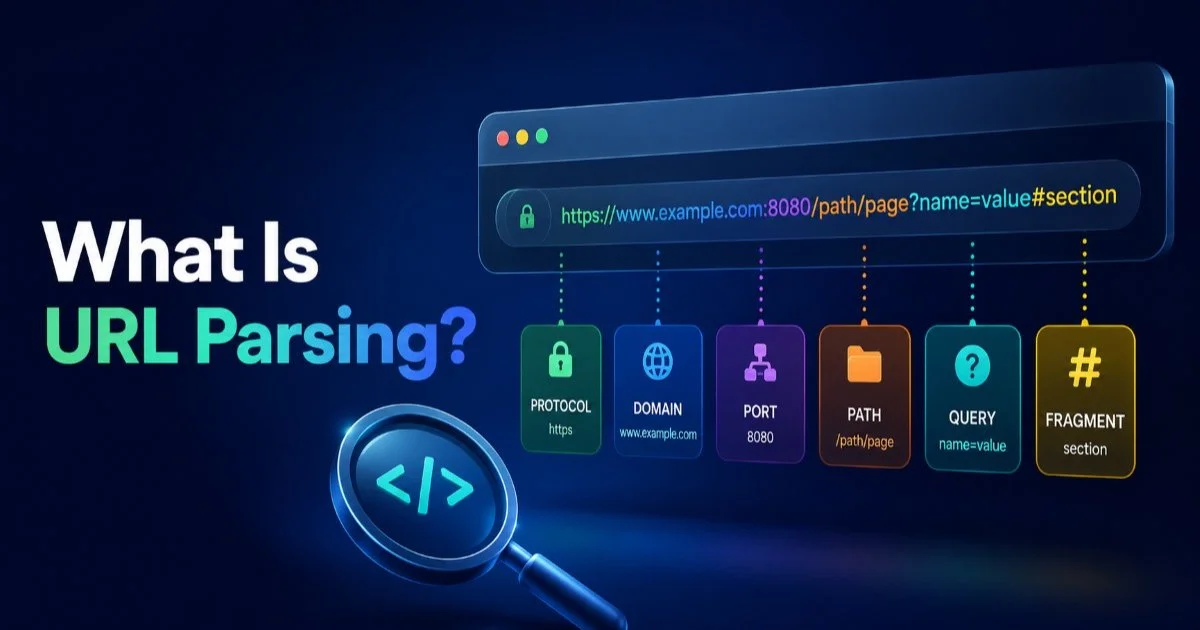
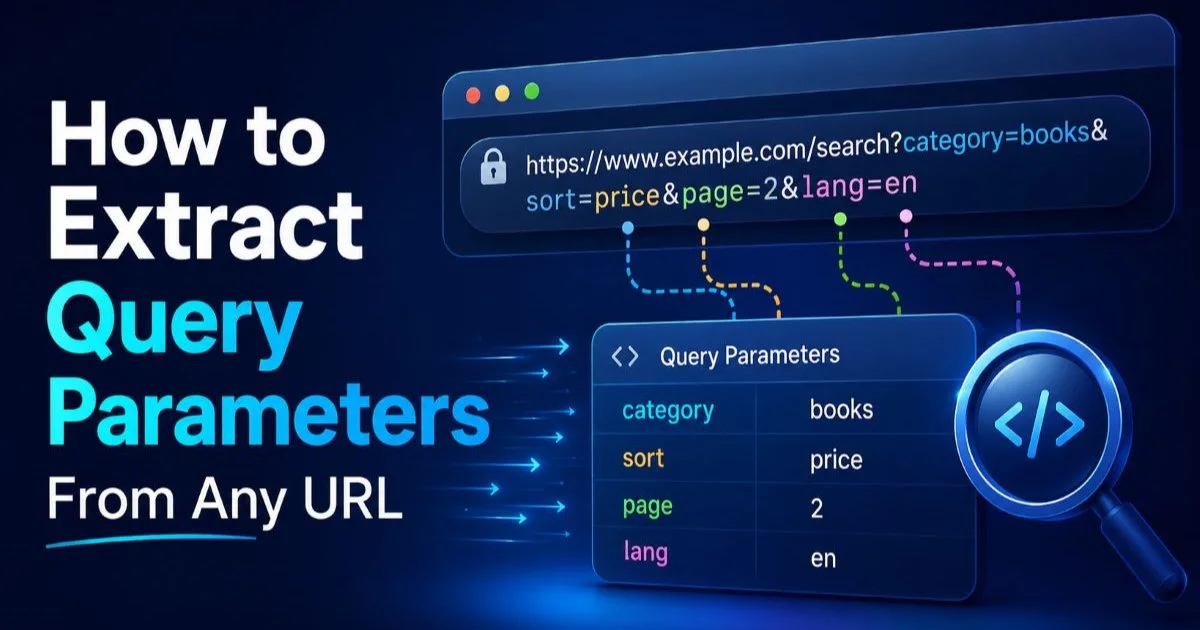
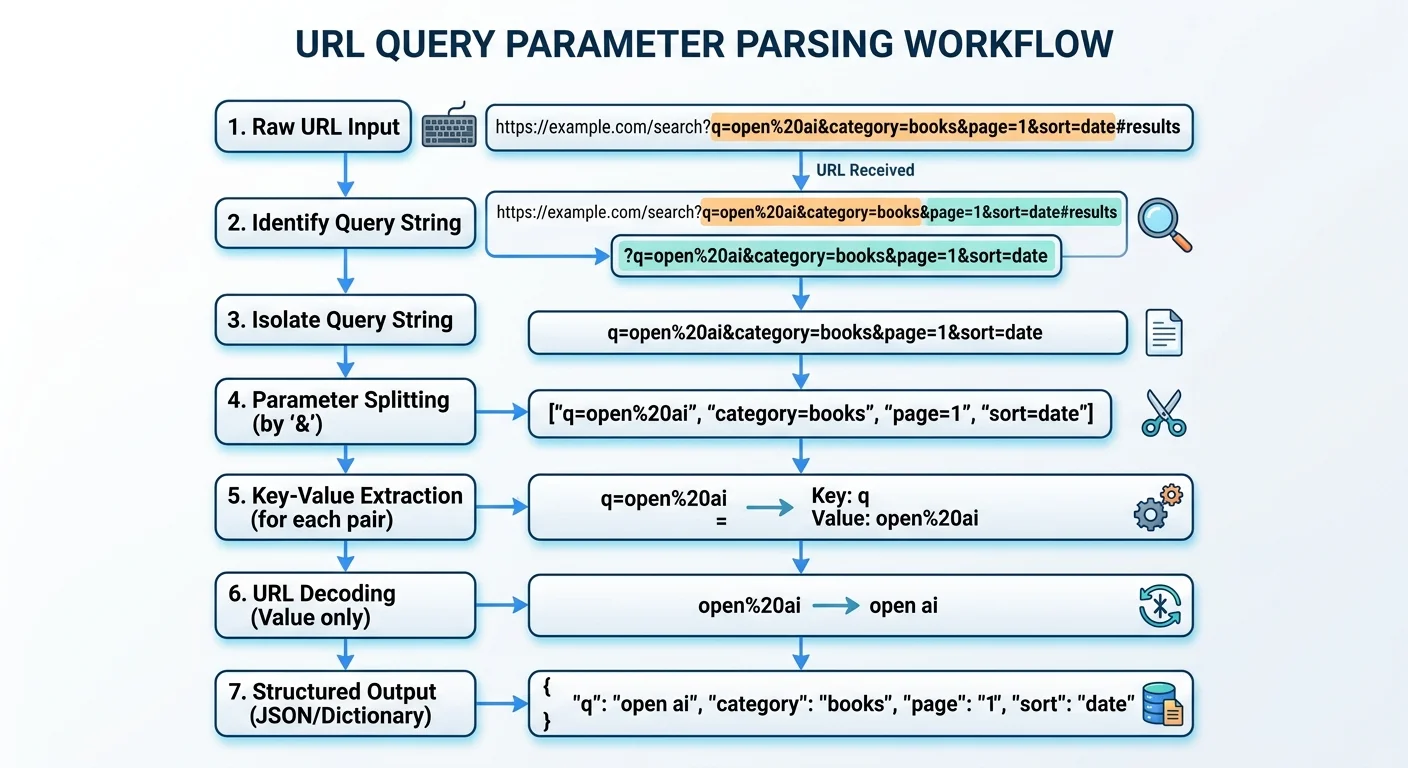
Every URL follows a predictable structure: scheme, host, path, query, and fragment. The query component begins immediately after the question mark character and consists of key-value pairs separated by ampersands. For example, in https://shop.example.com/search?category=shoes&color=red&page=2, three parameters exist: category, color, and page. Each pair follows the format key=value, and this consistency is what makes automated parsing possible across virtually any URL you encounter.
Not all query strings are straightforward, though. Some parameters lack values entirely (like ?debug), while others contain arrays (?id=1&id=2&id=3). Percent-encoding adds another layer of complexity, transforming spaces into %20 or + signs and encoding special characters. Before you start writing any extraction logic, you need to recognize these variations so your code doesn't break on unexpected input formats.
Some APIs use semicolons instead of ampersands as parameter separators. Check the specification before parsing.
Common Parameter Patterns
Certain parameter naming conventions appear across the web with remarkable consistency. UTM parameters (utm_source, utm_medium, utm_campaign) power marketing analytics. Pagination uses page and limit or offset. Authentication flows pass tokens, codes, and state values. Recognizing these patterns helps you build smarter extraction logic that knows which url components matter most for your specific use case, whether that's analytics reporting or web scraping pipelines.
| Parameter Type | Common Keys | Example Value | Typical Use |
|---|---|---|---|
| Tracking | utm_source, utm_medium | google, cpc | Marketing attribution |
| Pagination | page, limit, offset | 3, 25, 50 | Data navigation |
| Filtering | category, sort, q | electronics, price_asc, laptop | Search refinement |
| Authentication | code, state, token | abc123, xyz789 | OAuth flows |
| API Config | format, fields, callback | json, name,email | Response customization |
Step 2: Extract Query Parameters Using JavaScript
Using URLSearchParams
JavaScript's built-in URLSearchParams API is the most elegant way to extract query parameters in the browser or Node.js. You create an instance by passing the query string portion of a URL, then use methods like get(), getAll(), and has() to access values. The URL constructor pairs perfectly with it: const params = new URL(myUrl).searchParams; gives you immediate access to every parameter without writing a single regex.
Here's a practical example. Suppose you're parsing https://api.example.com/data?type=user&status=active&limit=50. Calling params.get('type') returns "user", params.get('limit') returns "50" as a string, and params.get('missing') returns null. You can also iterate over all parameters using params.forEach() or convert them to a plain object with Object.fromEntries(params). This approach handles decoding automatically, which eliminates an entire class of bugs.
Use Object.fromEntries(new URL(url).searchParams) to get a clean JavaScript object from any URL's query string in one line.
Handling Edge Cases in JavaScript
The URLSearchParams API handles most scenarios gracefully, but duplicate keys require attention. When a URL contains ?color=red&color=blue, calling params.get('color') returns only "red" (the first value). You need params.getAll('color') to retrieve ["red", "blue"]. This distinction matters significantly when parsing URLs from e-commerce filters or multi-select form submissions where repeated keys are standard practice rather than anomalies.
Fragment identifiers also trip up developers regularly. If your URL looks like https://example.com/page?id=5#section, the fragment (#section) is not part of the query string. The URL constructor separates these correctly, but naive string splitting on ? might include the fragment in your last parameter's value. Always use the proper API instead of manual string manipulation to avoid these subtle bugs that surface only in production.
Never parse query strings with simple string.split() in production. Edge cases with encoded ampersands and equals signs will break your code.
Step 3: Extract Query Parameters With Python
The urllib.parse Approach
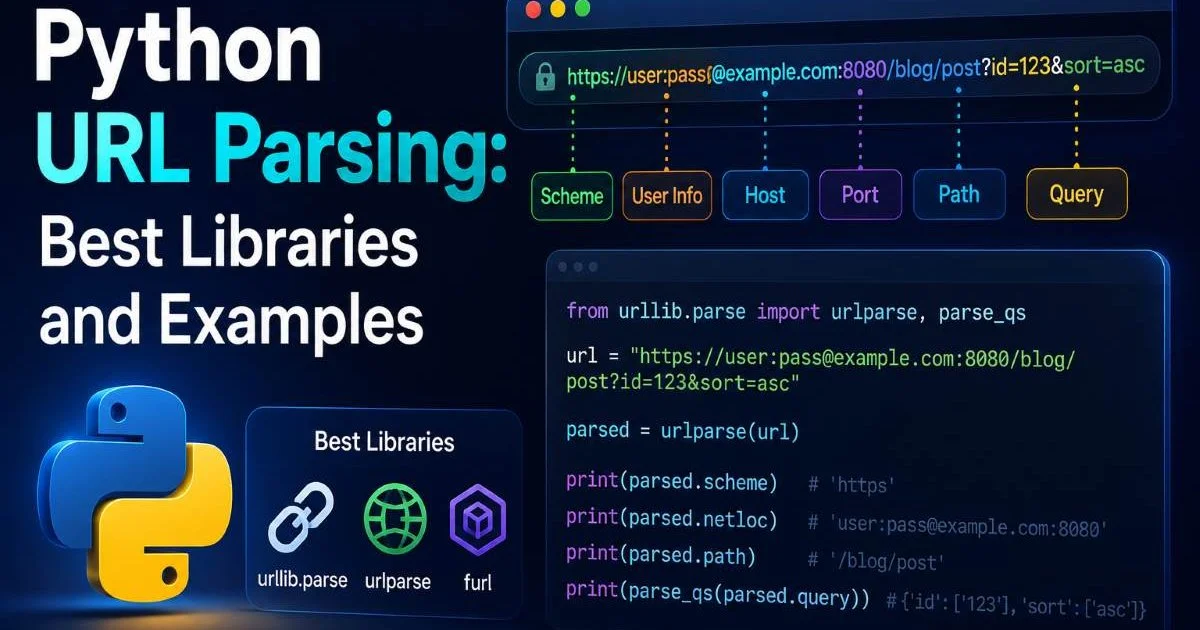
Python developers can extract query parameters using the standard library's urllib.parse module, which requires no pip installs. The urlparse() function breaks a URL into its core components, and parse_qs() converts the query string into a dictionary. Every value in the resulting dictionary is a list, accommodating duplicate keys by default. This design choice makes it inherently safer than JavaScript's single-value get() method for data analysis workloads.
A typical workflow looks like this: from urllib.parse import urlparse, parse_qs, then result = urlparse(url) followed by params = parse_qs(result.query). For the URL https://store.example.com/api/products?brand=nike&size=10&size=11, the output is {'brand': ['nike'], 'size': ['10', '11']}. If you prefer single values, use parse_qsl() instead, which returns a list of tuples. Both functions handle percent-decoding automatically, converting %20 back to spaces.
"The best parsing code is the code you don't write yourself. Use standard library functions that have been battle-tested across millions of applications."
Python for Bulk Extraction
Data analysts often need to process CSV files containing thousands of URLs, extracting specific parameters into separate columns. Pandas makes this straightforward. You can apply a lambda function across a DataFrame column to parse each URL and pull out the desired parameter values. This approach works beautifully for analyzing marketing URLs, where you might need to separate utm_source, utm_medium, and utm_campaign into individual columns for reporting.
For large-scale web scraping operations, combining Python's requests library with urllib.parse creates a powerful pipeline. You fetch pages, collect all href attributes, then parse each discovered URL to extract meaningful parameters. When working with real estate APIs, for instance, query parameters often contain property filters, location coordinates, and pricing ranges that analysts need to decompose for market analysis. The parsing step is where raw URLs become structured, queryable data.
Step 4: Automate Extraction at Scale
Choosing the Right Tool
Manual parsing works fine for individual URLs, but real-world projects demand automation. Online URL parsing tools like those at urlparser.dev let you instantly decompose URLs into their components without writing code. These tools are especially valuable during debugging sessions, when you need to quickly verify what parameters a redirect chain is carrying or confirm that tracking tags survived a URL shortener. Speed matters when you're troubleshooting production issues.
Command-line tools offer another automation path. Bash scripts using grep, sed, or awk can process log files containing millions of URLs remarkably fast. For structured extraction, jq combined with a URL parsing utility handles JSON API logs efficiently. The difference between AI-powered crawling and traditional crawling approaches often comes down to how intelligently they extract query parameters from discovered URLs and decide which ones to follow.
Pipe your web server access logs through a URL parser to identify the most common query parameter combinations users actually request.
Real-World Applications
Consider a practical scenario: you're migrating a legacy e-commerce site and need to map old URLs to new ones. The old site used query parameters like ?cat=12&subcat=45&pid=789, while the new site uses clean paths like /electronics/headphones/789. Bulk extraction of those parameters, mapped against a product database, generates the redirect rules you need. Without reliable parameter extraction, this migration would involve weeks of manual work instead of hours of scripted processing.
Marketing teams provide another compelling use case. When analyzing campaign performance across thousands of landing page URLs, you need to extract query parameters from every inbound link to attribute conversions correctly. A Python script that reads analytics exports, parses the landing page URLs, extracts UTM values, and groups them by campaign can replace hours of spreadsheet gymnastics. The parsed data feeds directly into dashboards, giving stakeholders the clean metrics they actually need for budget decisions.
Frequently Asked Questions
?How do I handle URLs where the same key repeats like ?id=1&id=2?
?When should I use Python's urllib.parse over JavaScript's URLSearchParams?
?How long does it take to set up bulk URL parameter extraction?
?Does forgetting to decode percent-encoded values actually cause real problems?
Final Thoughts
Learning to extract query parameters is a foundational skill that pays dividends across every project involving URLs. The techniques covered here, from JavaScript's URLSearchParams to Python's urllib.parse to automated tooling, give you options for every scenario.
Start with the built-in APIs for your language of choice, and graduate to bulk processing tools as your needs grow. Clean parameter extraction transforms chaotic URL data into structured, actionable information that drives better engineering and smarter analysis.
Disclaimer: Portions of this content may have been generated using AI tools to enhance clarity and brevity. While reviewed by a human, independent verification is encouraged.