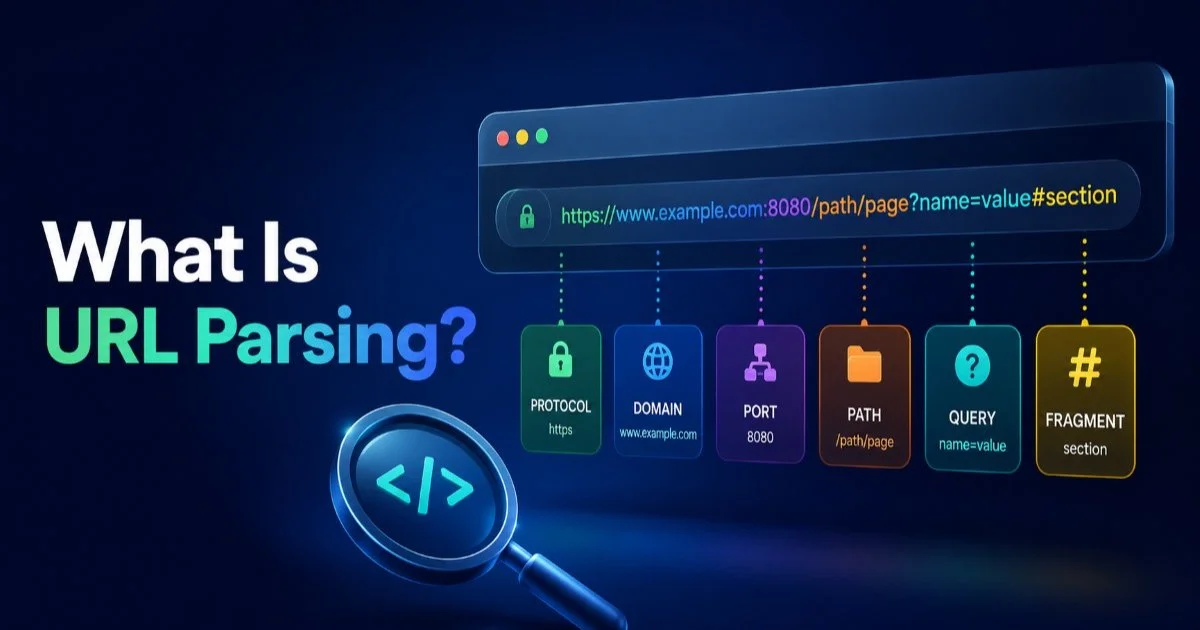
URL parsing is the process of breaking a web address into its individual structural components, including the protocol, domain, path, query parameters, fragments, and encoded values. For web developers and data analysts, understanding how to parse URLs is foundational to building reliable applications, tracking marketing campaigns, and analyzing user behavior.
Every time you click a link, your browser performs URL parsing behind the scenes, interpreting each piece of the address to route your request correctly. The complexity increases when URLs carry tracking tags, encoded characters, or deeply nested query parameters.
Misinterpreting even one component can lead to broken links, lost analytics data, or security vulnerabilities. This article breaks down what URL parsing actually means, how each component works, why it matters in real workflows, and where common mistakes happen.
Key Takeaways
- URL parsing splits a web address into protocol, domain, path, parameters, and fragment components.
- Query parameters carry data like search terms, filters, and UTM tracking tags.
- Encoded values use percent-encoding to safely transmit special characters within URLs.
- Domain extraction helps analysts group traffic data by source for cleaner reporting.
- Automated parsing tools reduce human error and speed up large-scale data processing.
How URL Parsing Works
Anatomy of a URL
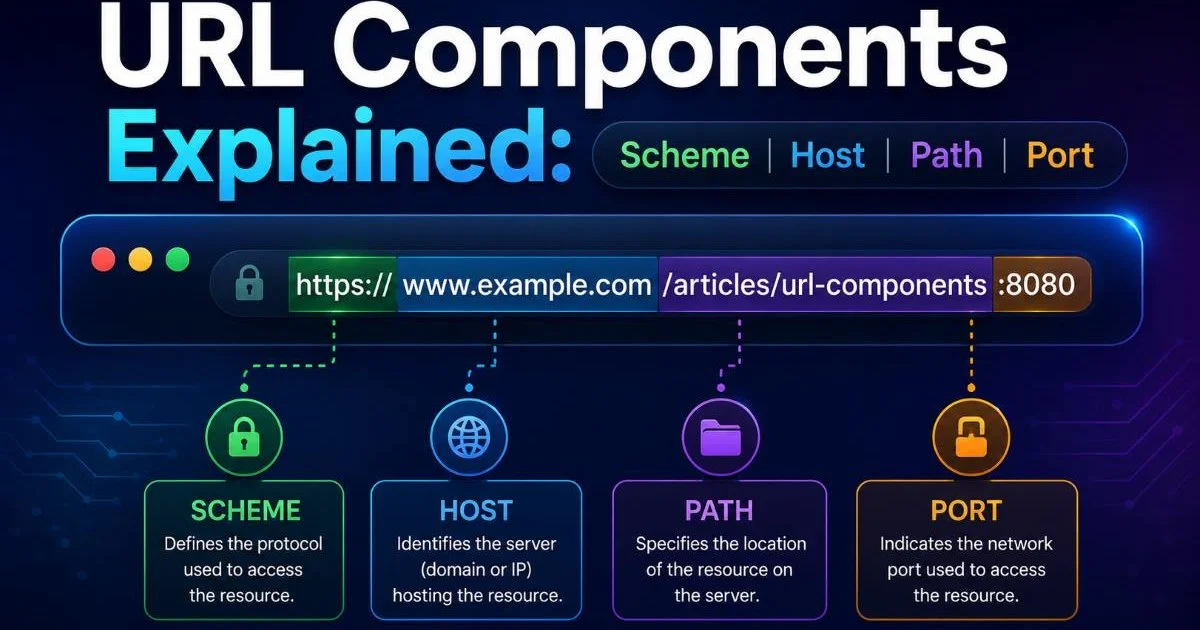
A URL is a structured string, and each segment serves a distinct purpose. Consider this example: https://example.com/products/shoes?color=red&size=10#reviews. The protocol (https) tells the browser which communication method to use. The domain (example.com) identifies the server hosting the resource, and the path (/products/shoes) specifies which page or resource is being requested.
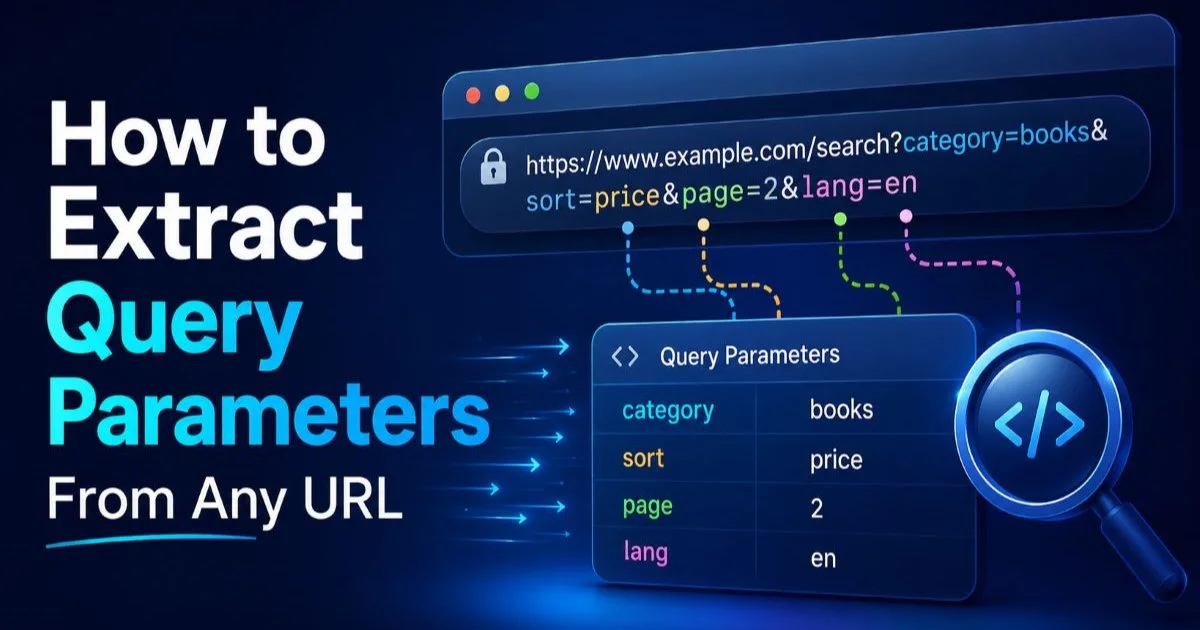
After the path, query parameters begin with a question mark. In our example, color=red and size=10 are key-value pairs that pass data to the server. These query parameters are separated by ampersands and can number in the dozens on complex URLs, especially in e-commerce and advertising platforms. The fragment (#reviews) tells the browser to scroll to a specific section of the page and is never sent to the server.
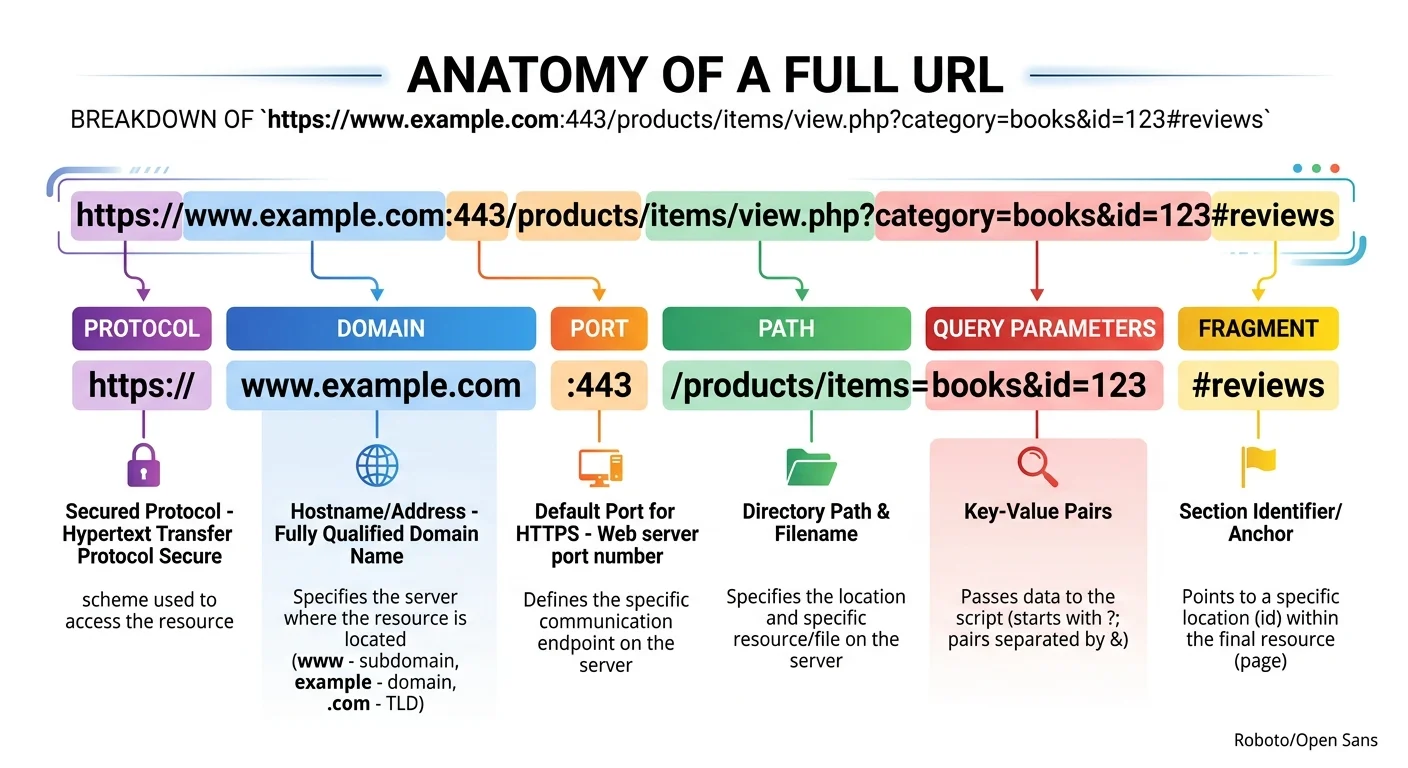
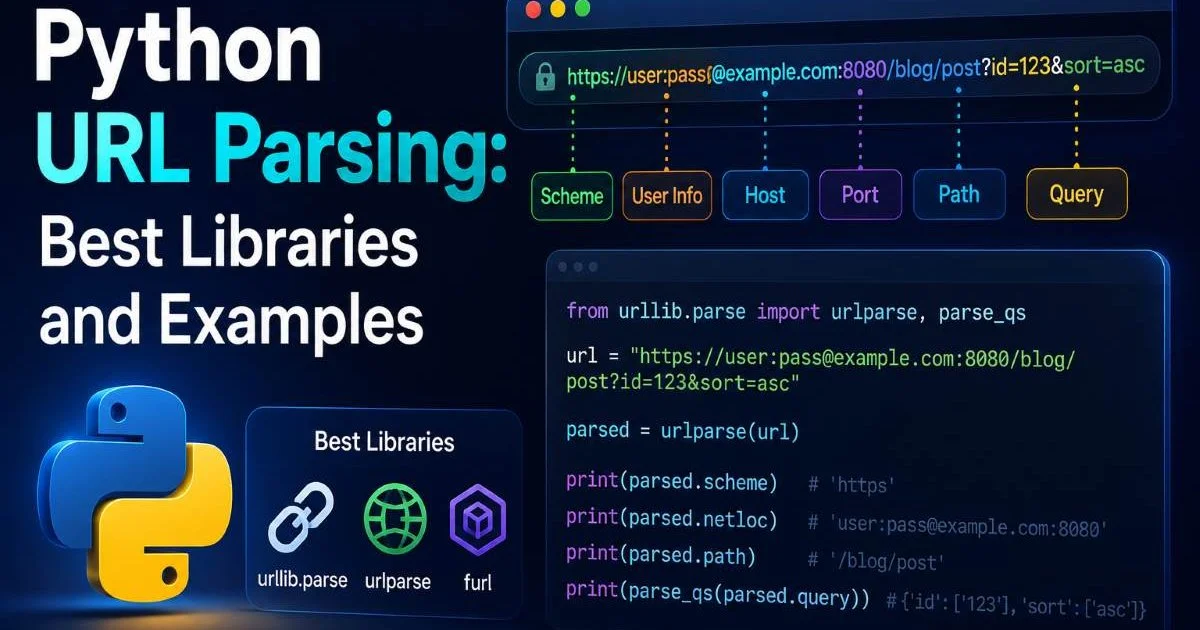
URL components also include optional elements like port numbers (:8080), authentication credentials, and subdomains. Most modern URLs omit the port because browsers default to port 443 for HTTPS and port 80 for HTTP. Understanding these parts individually is the first step toward reliable URL parsing in any programming language. Each component maps directly to properties available in standard parsing libraries, from JavaScript's URL constructor to Python's urllib.parse.
Encoding and Decoding
Special characters in URLs must be percent-encoded to avoid breaking the address structure. A space becomes %20, an ampersand becomes %26, and a forward slash in a query value becomes %2F. When you decode a URL, you reverse this process to make the values human-readable again. This matters when logging search queries, debugging redirect chains, or processing user-generated content that appears in URLs.
Always decode URL values before storing them in a database or displaying them to users to avoid garbled text.
| Component | Example | Purpose | Sent to Server? |
|---|---|---|---|
| Protocol | https:// | Defines communication method | Yes |
| Domain | example.com | Identifies the host server | Yes |
| Port | :443 | Specifies connection port | Yes |
| Path | /products/shoes | Routes to a specific resource | Yes |
| Query Parameters | ?color=red&size=10 | Passes key-value data | Yes |
| Fragment | #reviews | Scrolls to page section | No |
| Encoded Value | %20 (space) | Safely represents special characters | Yes (decoded by server) |
Why URL Parsing Matters
Developer Use Cases
Web developers encounter URL parsing daily, often without thinking about it. Server-side routing frameworks parse incoming request URLs to determine which controller handles the response. API developers extract query parameters to filter database results, paginate responses, or authenticate requests via tokens embedded in the URL. A misconfigured parser can silently drop parameters, leading to bugs that are notoriously difficult to trace.
Security is another critical area. Attackers frequently manipulate URLs to inject malicious payloads through query parameters or path traversal sequences like ../../etc/passwd. Proper URL parsing validates and sanitizes each component before the application processes it. Without this step, applications become vulnerable to open redirect attacks, cross-site scripting, and server-side request forgery.
Never trust raw URL input from users. Always parse, validate, and sanitize each component before processing.
Front-end developers also rely on URL parsing for single-page applications where client-side routing depends on reading the path and URL fragments. React Router, Vue Router, and similar libraries parse the browser's address bar to render the correct component. When building features like deep linking or shareable filtered views, understanding how query parameters and fragments interact with application state is essential.
Analyst Use Cases
Data analysts frequently need to perform domain extraction on large datasets of referral URLs to understand where traffic originates. Grouping thousands of raw URLs by their root domain transforms chaotic log data into actionable insights. Marketing teams depend on parsing UTM tracking tags (like utm_source, utm_medium, and utm_campaign) from URLs to attribute conversions to specific campaigns accurately.
Consider an analyst processing clickstream data from an e-commerce site. Each row might contain a URL like /search?q=running%20shoes&sort=price&page=2. Without parsing and decoding, the analyst would struggle to extract the actual search term "running shoes" from the encoded value. By programmatically parsing these URLs, they can quickly build reports on trending search queries, popular sort preferences, and browsing depth. Tools like EaseCloud's URL parser can help automate this work for teams that prefer visual interfaces over writing code.
"Every meaningful web analytics insight starts with correctly parsed URL data."
Common Misconceptions and Pitfalls
One widespread misconception is that URL fragments are sent to the server. They are not. The fragment (everything after the #) is handled entirely by the browser. This means server-side analytics tools cannot capture fragment data from standard HTTP requests. If your application stores important state in the fragment, your backend logs will never see it unless you implement client-side tracking that forwards that information separately.
Another common mistake is manually splitting URLs with string operations instead of using a proper parser. Developers sometimes use split("?") or regular expressions to extract parameters. This works for simple URLs but breaks down quickly with edge cases: URLs containing encoded question marks, multiple hash symbols, or parameters without values. Standard libraries handle these edge cases gracefully, and there is almost never a good reason to write a URL parser from scratch.
Some URLs contain parameters without values, like ?debug or ?verbose. A robust parser should handle these as boolean flags.
People also confuse URL encoding with encryption. Percent-encoding is a reversible formatting method, not a security measure. The value %40 simply represents the @ symbol; anyone can decode it instantly. Sensitive data like passwords, tokens, or personally identifiable information should never appear in URLs regardless of encoding, because URLs are logged by browsers, proxies, and web servers in plain text.
Finally, many teams overlook the impact of URL structure on analytics accuracy. Inconsistent parameter ordering, mixed casing in paths, and trailing slashes can cause a single page to appear as multiple entries in reports. Normalizing URLs during the parsing step, by lowercasing the domain, sorting parameters alphabetically, and stripping trailing slashes, dramatically improves data quality. This preprocessing step saves hours of manual cleanup downstream.
Tools and Related Concepts
Most programming languages include built-in URL parsing utilities. JavaScript offers the URL and URLSearchParams interfaces. Python provides urllib.parse with functions like urlparse() and parse_qs(). PHP has parse_url() and parse_str(). Each of these follows the same conceptual model: accept a URL string, return an object with named properties for each component. For teams working outside code, browser-based tools at urlparser.dev provide instant visual breakdowns of any URL.
URL parsing connects to several adjacent concepts in web technology. DNS resolution takes the domain you extract and maps it to an IP address. Routing systems consume the parsed path to dispatch requests. APIs that accept webhook URLs or callback addresses must validate those URLs by parsing them first. Even emerging fields like AI-powered content processing touch URL handling; for instance, speech-to-text APIs that receive audio file URLs need to parse and validate those addresses before fetching the audio.
The relationship between URL parsing and content delivery extends to multimedia applications as well. Video platforms parse URLs to extract video IDs, timestamp parameters, and quality settings. Understanding how these systems work can inform better tooling choices; AI video narration workflows, for example, depend on correctly structured and parsed URLs to fetch source assets and deliver processed outputs reliably.
When choosing a parsing approach, consider the scale of your operation. A developer debugging a single redirect can paste a URL into a browser tool and inspect the result visually. An analyst processing millions of clickstream records needs a programmatic solution that runs in a data pipeline. Both approaches solve the same fundamental problem, but the tooling must match the context. Regardless of method, the goal remains consistent: transform a raw URL string into structured, reliable, and actionable data.
When processing URLs at scale, always benchmark your parser against edge cases like internationalized domain names and IPv6 addresses.
Frequently Asked Questions
?How do I decode percent-encoded values in a URL query parameter?
?Does the URL fragment get sent to the server during a request?
?Is it faster to parse URLs manually with string splits or use a library?
?What breaks in analytics when UTM tracking tags are parsed incorrectly?
Final Thoughts
URL parsing is a foundational skill that sits at the intersection of web development, data analysis, and security. Every link you encounter is a structured data object waiting to be broken apart and understood.
By mastering url components like domains, paths, query parameters, and fragments, you gain the ability to build more reliable applications and generate more accurate analytics. Start with your language's built-in parsing tools, practice on real URLs from your own projects, and resist the temptation to reinvent the wheel with string manipulation.
Disclaimer: Portions of this content may have been generated using AI tools to enhance clarity and brevity. While reviewed by a human, independent verification is encouraged.