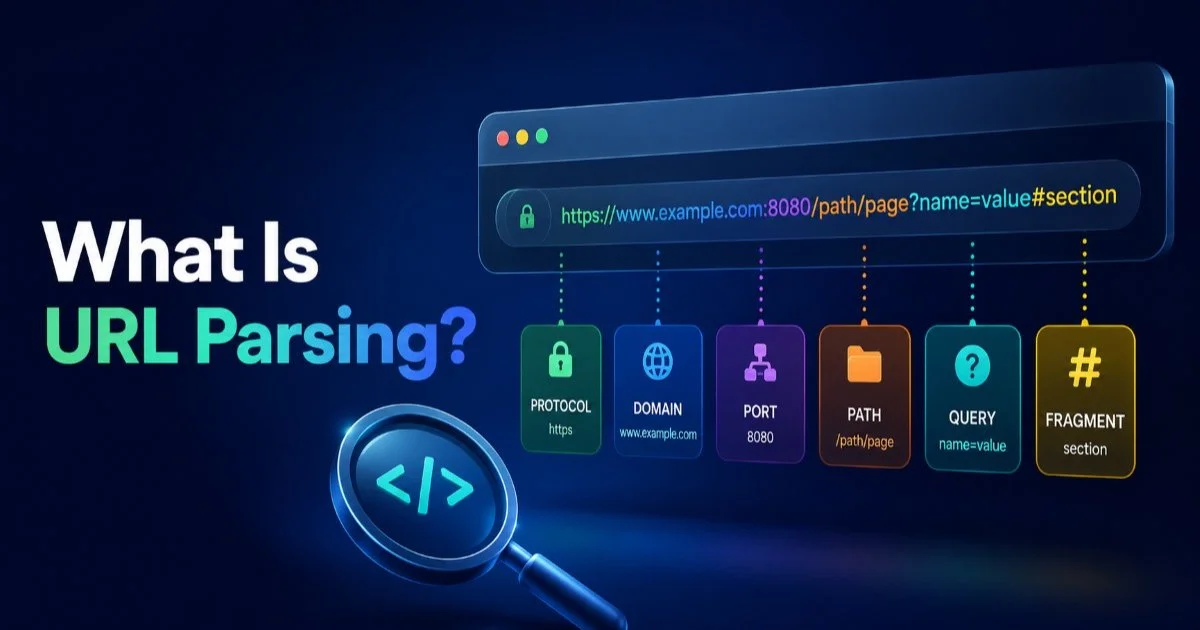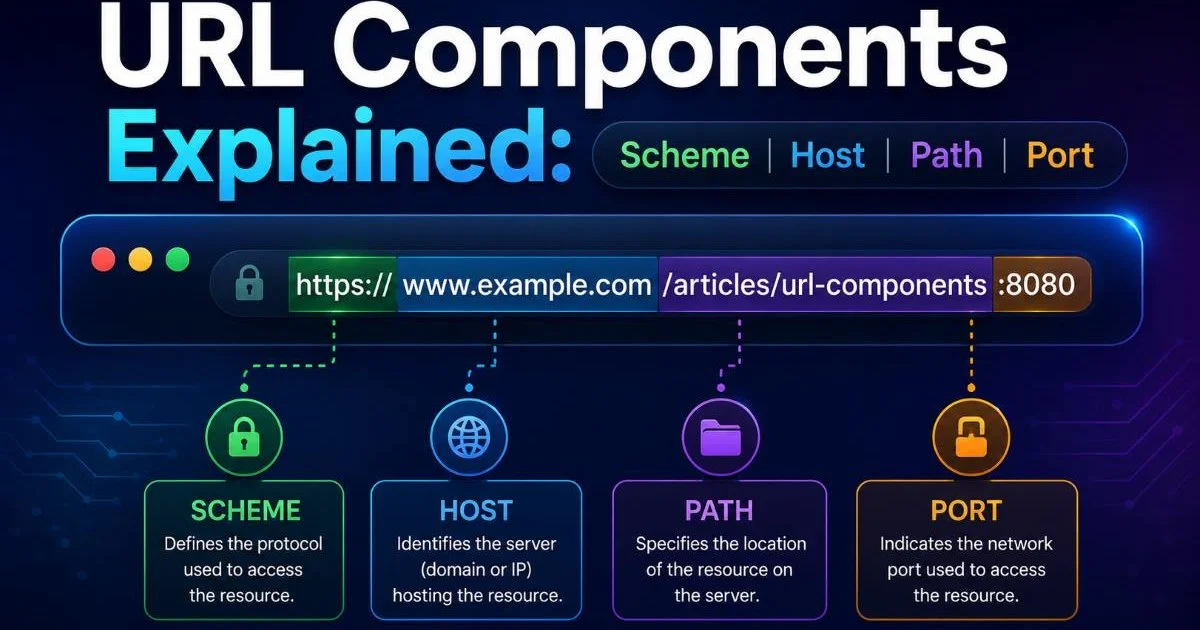
URL components explained is a topic every web developer and data analyst should understand before writing a single line of parsing logic. A URL might look simple in your browser's address bar, but it packs a surprising amount of structured information into a short string. The scheme tells you the protocol. The host identifies the server. The path points to a resource. The port specifies the connection channel.
Query parameters carry data. Fragments mark page sections. If you misidentify even one component, your scraping pipeline, redirect logic, or analytics tracking can break in subtle, hard-to-debug ways.
This guide walks you through each piece with real examples, practical steps, and the kind of detail that actually helps you build things. For a broader foundation on how URL parsing works in practice, that resource covers the essential definitions and mechanics.
Key Takeaways
- Every URL contains up to seven distinct components that each serve a specific purpose.
- The scheme and host are mandatory; port, path, query, and fragment are optional.
- Default ports (80 for HTTP, 443 for HTTPS) are almost always hidden by browsers.
- Query parameters use key-value pairs separated by ampersands after a question mark.
- Parsing URLs correctly is the foundation of reliable web scraping and analytics work.
Step 1: Identify the Scheme and Understand Protocols
The scheme is the very first component of any URL, appearing before the colon and double slashes. It tells the client (your browser, your script, your API gateway) which protocol to use when communicating with the server. In nearly all modern web work, you will see https, which signals an encrypted TLS connection. Older systems or internal tools sometimes still use plain http, but this is increasingly rare for public-facing sites.
Getting the scheme right matters more than most developers realize. If your parsing logic strips or misreads the scheme, you might accidentally downgrade a secure connection to an insecure one. Security scanners flag mixed-content errors exactly because of this. When you build URL parsing routines, always extract the scheme first and validate it against a whitelist of expected protocols.
The scheme also affects default behavior downstream. HTTPS defaults to port 443, while HTTP defaults to port 80. FTP uses port 21. If your code assumes HTTPS but receives an FTP link, the entire request pipeline fails. Validating the scheme upfront saves you from chasing phantom bugs later in your data pipeline.
Always normalize schemes to lowercase before comparison, since RFC 3986 treats them as case-insensitive.
Common Schemes Beyond HTTP
Web developers mostly work with HTTP and HTTPS, but analysts sometimes encounter other schemes during data collection. The ftp scheme appears in legacy file transfer links. The mailto scheme triggers email clients. You might even see data: URIs for inline-encoded content. If you are building tools that handle URLs from diverse sources, like email campaigns or document management systems, your parser needs to recognize or gracefully reject these non-HTTP schemes. Choosing the right API gateway for your infrastructure can help standardize how different protocol types are routed.
Step 2: Parse the Host and Port
The host component appears right after the :// and before the next forward slash (or colon, if a port follows). It can be a domain name like urlparser.dev or an IP address like 192.168.1.1. The host is how DNS resolves where your request actually goes. For web scraping, extracting the host accurately is critical because you need it for rate limiting, robots.txt lookups, and organizing crawled data by source.
The port number is optional and follows the host after a colon. When you see localhost:3000 in development, the 3000 is the port. In production URLs, you rarely see the port because browsers hide defaults. But some enterprise applications, staging environments, and non-standard services expose ports explicitly. Your parser must handle both cases: URLs with a visible port and URLs where the port is implied by the scheme.
Subdomains and TLDs
The host itself has internal structure. Consider api.staging.example.co.uk. Here, api and staging are subdomains, example is the second-level domain, and co.uk is the top-level domain. Parsing these correctly is surprisingly tricky because TLDs vary in depth. Simple string splitting on dots fails for domains like .co.uk or .com.au. Libraries like Mozilla's Public Suffix List exist specifically to solve this problem. If your analytics depend on grouping URLs by root domain, get this step right or your reports will be inaccurate.
IP-based hosts (IPv6 in particular) use square brackets in URLs, like http://[::1
Understanding the relationship between subdomains and the main domain also affects SEO analysis. When you need to decide how anchor text strategies differ between exact match and partial match approaches, knowing whether a link points to a subdomain or the root domain changes your analysis entirely. Treat subdomain extraction as a first-class operation in your URL parsing toolkit.
Step 3: Break Down the Path and Resource Location
The path starts after the host (and optional port) with a forward slash and continues until a question mark, hash symbol, or end of the string. It represents the hierarchical location of a resource on the server. For example, in https://urlparser.dev/blog, the path is /blog. Paths can be nested deeply, like /api/v2/users/42/settings, where each segment carries meaning about the resource hierarchy.
When URL components are explained in documentation, the path often gets the least attention, yet it carries the most semantic weight for both humans and machines. REST API design revolves entirely around path structure. Web scraping logic uses paths to filter which pages to crawl and which to skip. Search engines interpret path depth as a signal of content hierarchy. A well-structured path communicates intent clearly.
"The path is where human-readable meaning and machine-parseable structure intersect most directly in a URL."
Path Conventions in APIs and Websites
APIs and websites use paths differently. RESTful APIs tend to use noun-based paths (/users/42) with HTTP methods determining the action. Websites often include category slugs (/blog/insights/url-parsing-guide) for SEO and navigation. Trailing slashes matter too: some servers treat /page and /page/ as different resources, while others redirect one to the other. Your parser should preserve trailing slashes exactly as they appear.
| URL Component | Example | Required | Typical Use |
|---|---|---|---|
| Scheme | https | Yes | Defines the protocol for communication |
| Host | urlparser.dev | Yes | Identifies the target server |
| Port | 443 | No (defaults exist) | Specifies the network port |
| Path | /blog/insights | No | Locates the resource on the server |
| Query | ?id=42&sort=asc | No | Passes key-value parameters |
| Fragment | #section-two | No | Points to a page section (client-side only) |
File extensions in paths (.html, .php, .json) are becoming less common in modern web development, but they still appear frequently in legacy systems and static sites. When your parse logic encounters extensions, store them separately. They help determine content type when the server's response headers are unreliable, which happens more often than you would expect in web scraping scenarios targeting older infrastructure.
Never assume a path like /users/42 means user ID 42 without checking the API documentation. Path semantics are server-defined.
Step 4: Extract Query Parameters and Fragments
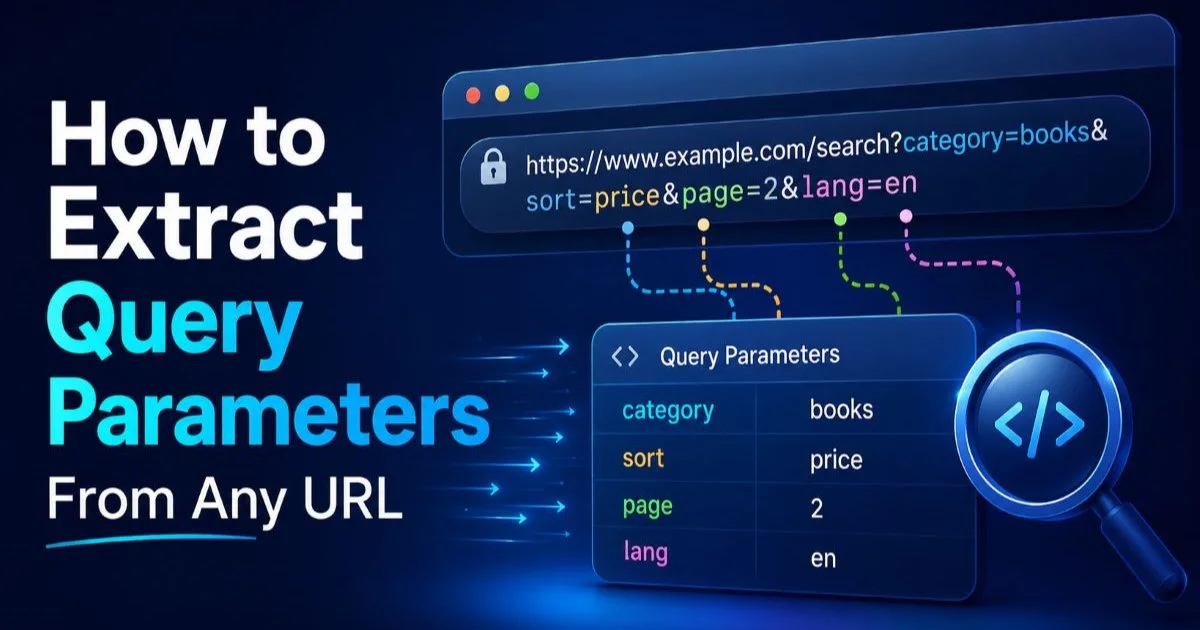
Query parameters begin after the question mark and consist of key-value pairs joined by equals signs, with multiple pairs separated by ampersands. In ?category=insights&page=3&sort=date, there are three parameters. These carry dynamic data that changes the server's response. For data analysts, query parameters are where campaign tracking codes (UTM tags), search filters, pagination values, and session identifiers live. Extracting them accurately is essential for any analytics or scraping work.
Parsing query strings seems straightforward, but edge cases abound. Keys can repeat (?color=red&color=blue), values can be empty (?debug=&verbose), and the entire query string might use semicolons instead of ampersands in older implementations. Most built-in URL parsing libraries in Python, JavaScript, and Go handle these cases correctly, but if you are writing custom logic, test against these edge cases. A URL components explained tutorial that skips edge cases does you a disservice.
Encoding and Special Characters
URL encoding (percent-encoding) replaces unsafe characters with a percent sign followed by two hex digits. A space becomes %20. An ampersand becomes %26. This encoding is most visible in query parameter values but can appear anywhere in a URL. When you parse URLs, always decode parameter values before using them in your application. Failing to decode leads to garbled text in reports and broken lookups in databases.
Fragments, marked by the hash symbol (#), point to a specific section within a page. The critical thing to understand is that fragments are never sent to the server. They are purely client-side. This means your server logs will not contain fragment data, and your web scraping tools will not naturally capture them from HTTP responses. If fragment data matters for your analysis (for single-page applications, it often does), you need client-side instrumentation or JavaScript-rendered crawling to capture it.
When working with complex URLs that contain both query parameters and fragments, remember the order matters. The query string always comes before the fragment. A URL like https://example.com/page?id=5#reviews is valid, but https://example.com/page#reviews?id=5 would place the query inside the fragment, making it invisible to the server. This is a common mistake in hand-crafted URLs and one that automated URL parsing tools catch immediately.
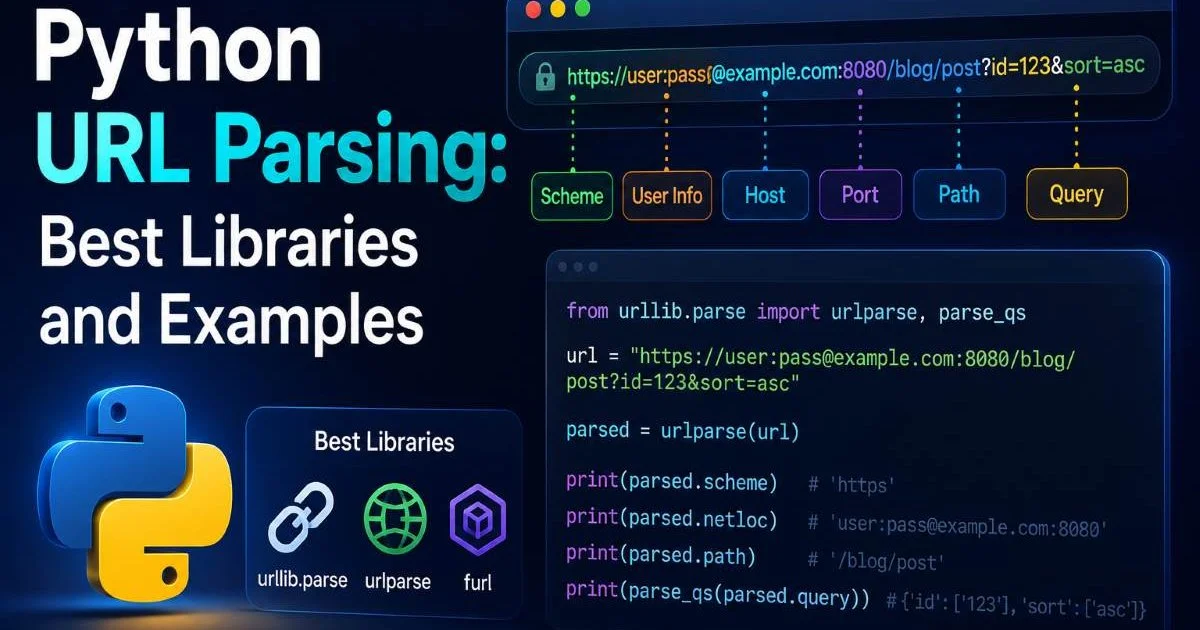
Use your language's built-in URL parser (like Python's urllib.parse or JavaScript's URL API) rather than regex for production parsing.
Frequently Asked Questions
?How do I normalize URL schemes before parsing in code?
?When should I explicitly include port 443 or 80 in a URL?
?Does stripping the fragment break scraping or redirect logic?
?Is it a problem if my parser silently accepts mailto or ftp schemes?
Final Thoughts
Having URL components explained in a structured, step-by-step way makes a real difference when you are building parsers, debugging redirects, or cleaning analytics data. Each component, from scheme to fragment, serves a distinct purpose and comes with its own set of edge cases.
Master these four steps and you will handle the vast majority of real-world URLs confidently. The key is always to use well-tested parsing libraries, validate your inputs, and never assume a URL follows conventions until you have verified it.
Disclaimer: Portions of this content may have been generated using AI tools to enhance clarity and brevity. While reviewed by a human, independent verification is encouraged.